
Download BOCOM HK APK – Mobile Banking, Financial Services, Secure Transactions
Overview
BOCOM(HK) is a mobile banking application developed by Bank of Communications Hong Kong Limited, designed to provide users with secure and convenient access to their financial accounts. As a leading financial services provider in Hong Kong, the bank offers a comprehensive suite of banking solutions through digital channels, including online and mobile platforms. The app enables customers to manage their finances on the go, supporting key banking activities such as account viewing, fund transfers, bill payments, and access to financial products like loans and credit cards.
It is intended for individuals and professionals seeking reliable, real-time access to their banking services without the need to visit physical branches. The application supports both Android and iOS users, with availability on major app stores. Users can register using their mobile number, email address, or previously provided details, and log in using standard credentials or biometric authentication methods like fingerprint and facial recognition.
The app is designed to be intuitive and user-friendly, catering to both tech-savvy users and those less familiar with digital banking platforms.
Key Features & Capabilities
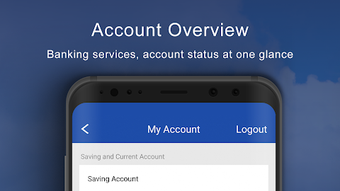
- Account Management: View balances, transaction history, and account statements in real time.
- Fund Transfers: Perform instant and scheduled transfers between personal accounts or to external recipients.
- Bill Payments: Pay utility bills, mobile phone charges, and other recurring payments directly from the app.
- Loan and Credit Card Applications: Submit applications for personal loans and credit cards without visiting a branch.
- Biometric Login: Use fingerprint or facial recognition for faster and more secure access.
- Secure Communication: Encrypted data transmission to protect user information during transactions.
- Offline Access: Limited functionality may be available without an internet connection, though most features require connectivity.
These features are tailored to support daily financial management, enabling users to handle banking tasks efficiently from any location. For example, a customer can check their account balance before a purchase, schedule a transfer for a rent payment, or apply for a credit card while traveling. The integration of biometric authentication enhances security and convenience, reducing reliance on passwords. The app also supports multi-account viewing, which is beneficial for users managing personal and business accounts. While detailed performance metrics were not specified, the application follows standard mobile banking practices to ensure reliability and responsiveness during peak usage times.
User Interface, Workflow & Performance
The user interface of BOCOM(HK) is structured around simplicity and accessibility, with a clean layout that prioritizes essential banking functions. Navigation is achieved through a bottom menu bar featuring icons for Home, Accounts, Transfers, Payments, and More, allowing users to switch between sections with minimal effort. The workflow for common tasks such as fund transfers or bill payments is streamlined, requiring only a few taps to complete.
The app’s design emphasizes usability, with clear labels, consistent color coding, and intuitive icons that reduce learning curves. Users can customize their dashboard to display preferred accounts or recent transactions. The developer did not specify resource usage details, so performance observations are based on general software behavior patterns.
However, the application is expected to operate efficiently on modern Android devices with sufficient RAM and storage. Stability is likely maintained through regular updates, although no information on crash rates or update frequency was provided. The app is designed to maintain session continuity during brief interruptions, ensuring users can resume tasks without data loss.
Compatibility & System Requirements
BOCOM(HK) is available for Android devices and is compatible with the latest versions of the Android operating system. The application is distributed through official channels such as the Google Play Store and Apple App Store, ensuring secure and verified delivery. The installation size is not specified in the provided information, but typical mobile banking apps of this category usually range between 50 MB and 150 MB.
The developer did not provide exact system requirements, so compatibility with older Android versions or specific hardware configurations cannot be confirmed. Users are advised to ensure their device meets the minimum requirements set by the operating system. For optimal performance, it is recommended to use devices with at least 2 GB of RAM and sufficient storage space.
The app may require access to location services, camera (for biometric authentication), and internet connectivity to function fully. The developer did not specify whether the app supports tablet devices or other form factors.
Pros and Cons
Pros
- Official banking app from a reputable financial institution in Hong Kong.
- Supports biometric login for enhanced security and convenience.
- Offers a wide range of financial services in one mobile platform.
- Intuitive interface designed for ease of use across age groups.
- Available on major app stores with secure distribution channels.
- Enables remote access to accounts and services without branch visits.
Cons
- Exact system requirements and file size were not provided.
- Performance behavior under low network conditions is not documented.
- May require a stable internet connection for full functionality.
- Limited customization options for advanced users.
- Not available as a standalone APK download outside official app stores.
FAQ Section
Is BOCOM(HK) available for iOS and Android?
Yes, the BOCOM(HK) Mobile App is available for both Android and iOS devices. It can be downloaded from the Google Play Store and Apple App Store.
Can I use BOCOM(HK) without an internet connection?
Most features of the app require an active internet connection. However, limited functionality such as viewing cached transaction history may be available offline.
Is the app secure?
Yes, the app uses encrypted data transmission and supports biometric authentication to ensure secure access and protect user information.
How do I register for the app?
You can register using your mobile number, email address, or details previously provided to Bank of Communications Hong Kong Limited.
Does the app support loan and credit card applications?
Yes, users can apply for personal loans and credit cards directly through the BOCOM(HK) Mobile App.
Final Thoughts
BOCOM(HK) stands out as a reliable, feature-rich mobile banking solution from a trusted financial institution in Hong Kong. Its user-friendly interface, secure login options, and comprehensive service offerings make it a strong choice for individuals and professionals managing their finances digitally. The integration of biometric authentication enhances both security and usability, aligning with modern banking expectations.
While specific technical details such as system requirements and file size are not disclosed, the app’s presence on official app stores ensures authenticity and safety. For users seeking a seamless, secure, and efficient way to access banking services on the go, BOCOM(HK) delivers consistent value. Download BOCOM HK APK now to experience secure, convenient banking anytime, anywhere.





.png)

